
Step 1: Launch the Mobile App
Launch the mobile app on your device.
Step 2: Log In
Log in to your account using your credentials.
Step 3: Go to Settings
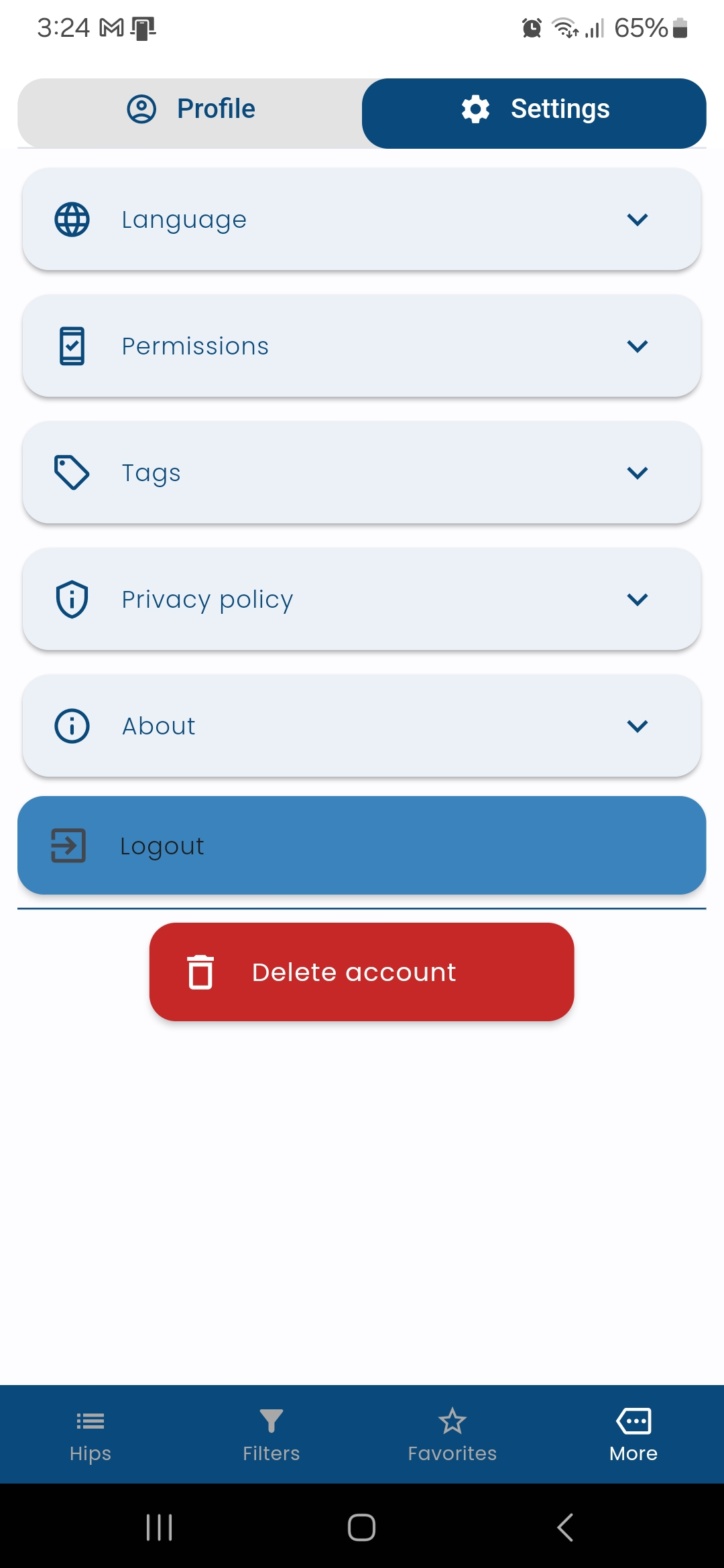
Go to the "Settings" section of the app.
Step 4: Find Delete Option
Scroll down and look for the "Delete Account" option.
Step 5: Tap Delete Account
Tap on "Delete Account" to initiate the deletion process.
Step 6: Follow Prompts
Follow any additional prompts or confirmations that appear on the screen.
Step 7: Confirm Deletion
Once the account deletion is confirmed, all your data will be permanently removed.
Visual Guide
Step-by-Step Screenshot
Need Help?
If you encounter any issues or need further assistance, please contact our support team at mobile.app@stelliscorp.com.
Important Notice
Account deletion is permanent and cannot be undone. All your data, including auction history, favorites, and personal information will be permanently removed from our servers.